
Player Controller
A solid 2D controller you can actually build your game around
Player Controller started from a problem I run into almost every time I prototype a 2D platformer:
The first movement script is quick to write, but then you start adding coyote time, jump buffering, variable jumps, walls, dash, crouch, slopes, knockback... and suddenly that "simple controller" becomes another system you need to rebuild and polish.
This addon gives you that foundation from the start.
It aims to feel responsive out of the box while still giving you enough control to make the movement feel like your game.
Everything I expect from a modern 2D platformer controller
- Acceleration and deceleration
- Air control
- Variable jump height
- Coyote time
- Jump buffering
- Multiple jumps
- Fast fall
- Wall slide
- Wall jump
- Dash
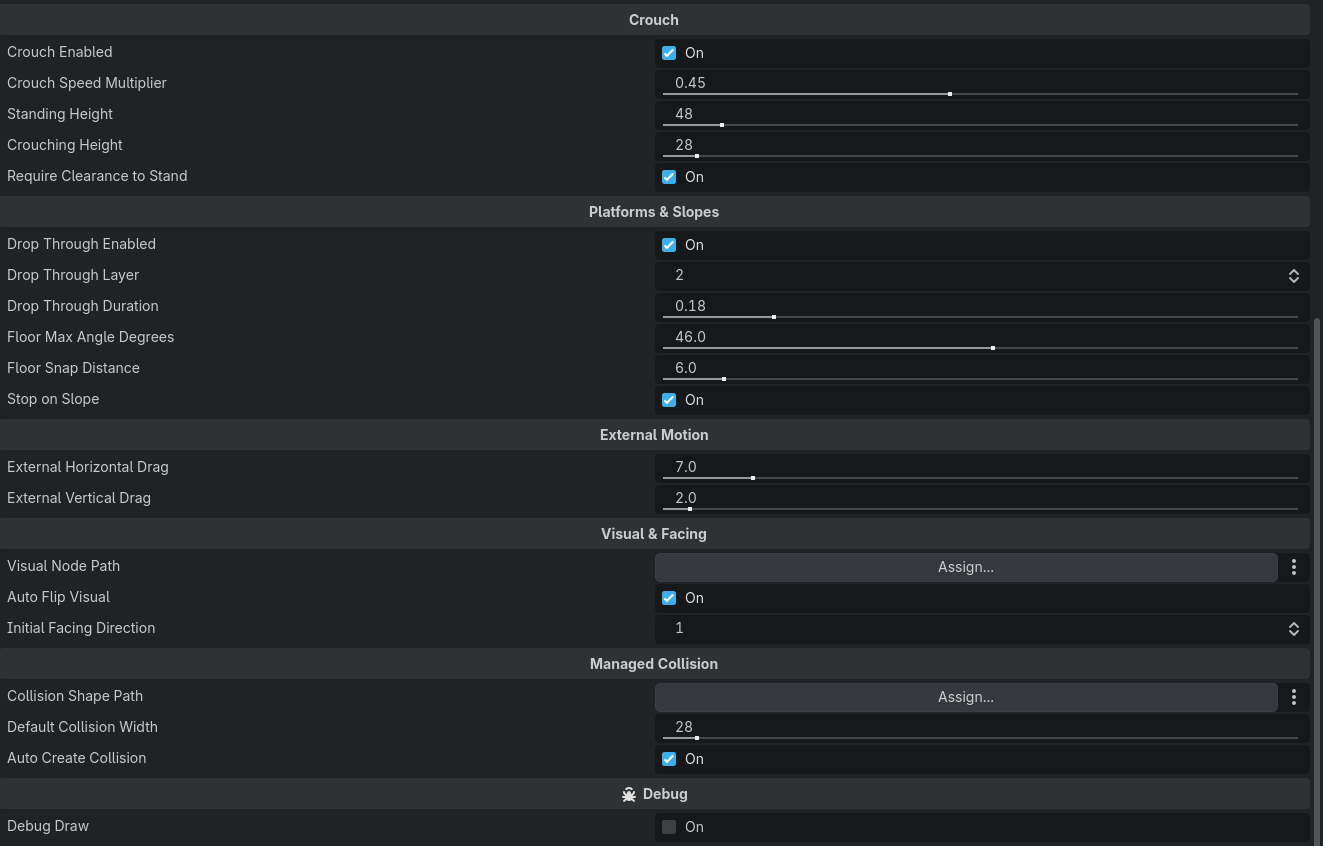
- Crouch
- One-way platform drop-through
- Slope handling
- Moving platform support
- External velocity and knockback
Tune movement with gameplay-friendly values
You should not need to calculate gravity formulas every time you want the jump to feel slightly higher or faster.
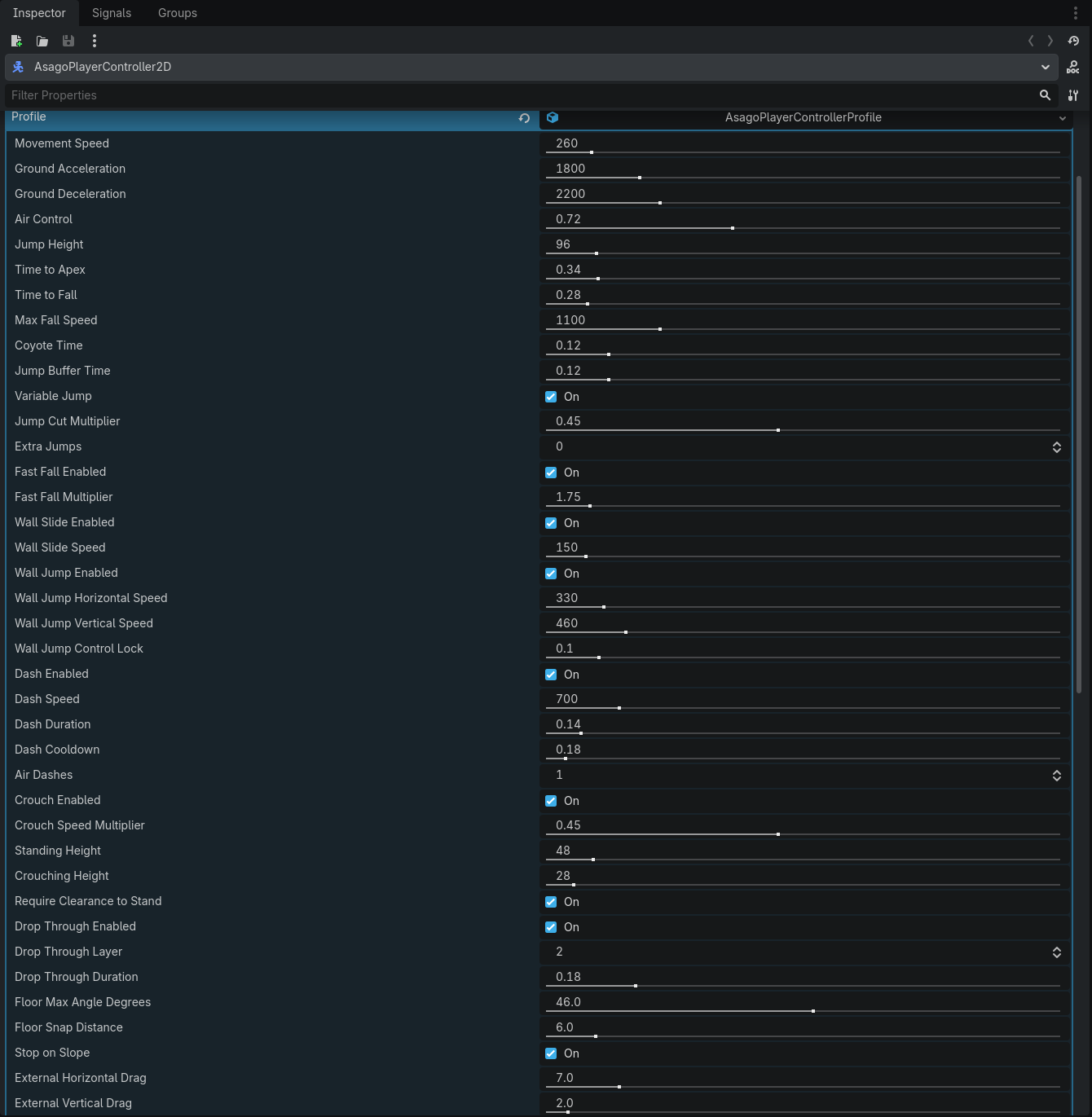
Configure values such as:
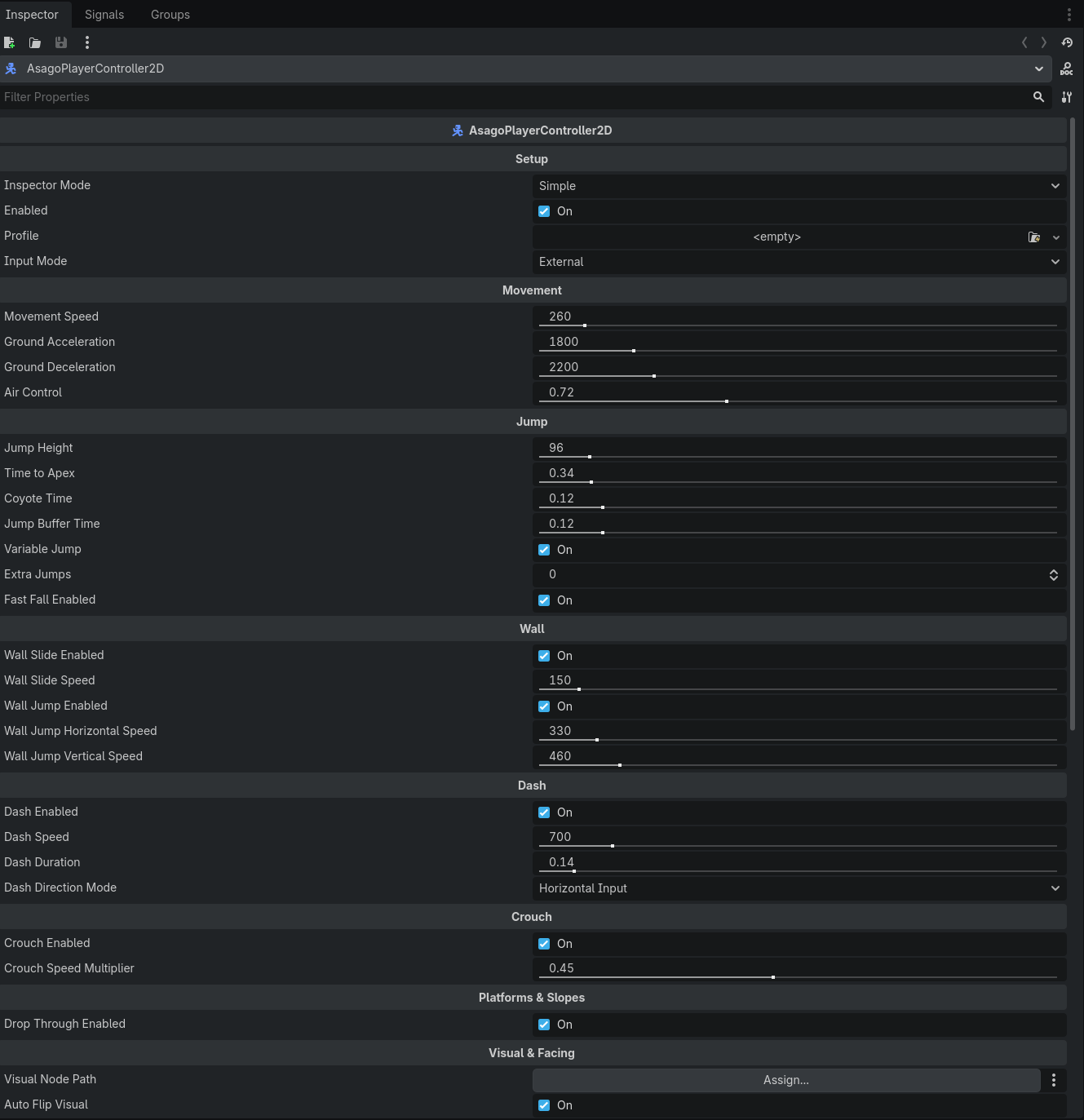
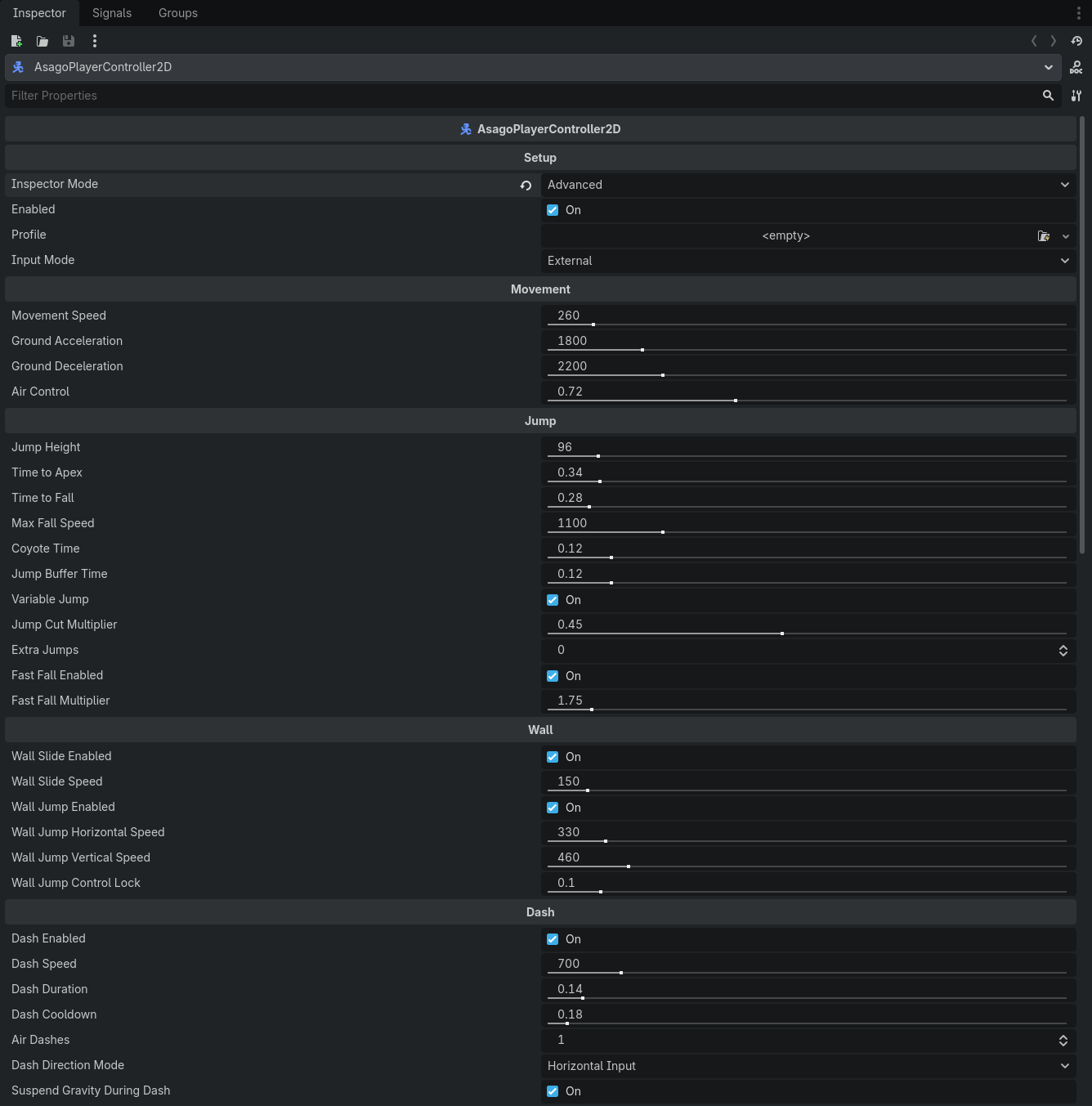
- Movement Speed
- Acceleration
- Deceleration
- Jump Height
- Time To Apex
- Time To Fall
- Air Control
Then use the more advanced settings only when you actually need them.
Better jumping by default
Coyote time and jump buffering are included because small details like these make a huge difference to how responsive a platformer feels.
Variable jump height lets short taps produce small jumps while longer presses reach the full configured height.
Extra jumps and fast fall are optional.
Wall movement
Wall Slide and Wall Jump can be enabled independently.
Tune slide speed, jump force and the short movement lock after jumping away from a wall.
Dash
Enable dash when your game needs it.
Configure speed, duration, cooldown, available air dashes and direction behavior from the Inspector.
Crouch that respects the level
Crouching changes the player's collision while keeping the bottom of the character aligned with the floor.
Before standing up again, the controller checks whether there is enough space above the player.
No standing up inside ceilings.
Your input system stays yours
By default, Player Controller uses External input.
That means your own input architecture can simply call:
set_move_input()
request_jump()
release_jump()
request_dash()
set_crouch()
If you prefer Godot Input Actions, an optional mode can read actions that already exist in your project.
The addon never adds or modifies Input Map actions automatically.
Built to work with other gameplay systems
External forces are supported through:
add_impulse()
add_external_velocity()
set_external_velocity()
clear_external_velocity()
That makes knockback, wind, launchers and other gameplay interactions much easier to integrate without modifying the controller itself.
Your animation system stays yours too
Player Controller does not force an AnimationPlayer, AnimationTree or AnimatedSprite2D setup.
It exposes useful movement states:
Idle, Run, Rise, Fall, Wall Slide, Dash and Crouch
and provides signals for important movement events such as jumping, landing, wall sliding, dashing and crouching.
5 movement profiles
Optional Godot Resources are included to give you useful starting points:
- Balanced Platformer
- Responsive Platformer
- Heavy Platformer
- Floaty Platformer
- Precision Platformer
Try one, tweak it, or ignore profiles completely and configure the node directly.
A regular Godot node
Player Controller extends CharacterBody2D.
There is no editor dock, no autoload, no manager and no framework sitting between you and Godot.
Add the node, configure it in the Inspector and build the rest of your player around it.
Included
- Complete Player Controller addon
- Responsive ground and air movement
- Variable jumping
- Coyote time and jump buffering
- Wall Slide and Wall Jump
- Dash
- Crouch with ceiling detection
- One-way platform drop-through
- Slope and moving platform support
- External movement / knockback API
- 5 reusable movement profiles
- Inspector documentation for exposed properties
- Full GDScript source
- Documentation and integration guides
Compatibility
Godot 4.7+
Developed and tested with Godot 4.7.2 stable.
2D only.
Source included
The full GDScript source is included so you can understand how it works, change what you need and make the controller fit your own game.
License
Commercial use is allowed in your own games and applications.
Redistribution or resale of the addon itself as a standalone product, template, toolkit or competing asset is not permitted.
Purchase
In order to download this asset pack you must purchase it at or above the minimum price of $1.99 USD. You will get access to the following files:
Development log
- Player Controller 1.0.0 is now available16 hours ago
Leave a comment
Log in with itch.io to leave a comment.